This HUANUO triple monitor mount review looks at a desk stand built to lift three compatible displays and let you adjust their viewing positions.
It suits buyers planning a three-screen workstation who can verify each monitor’s fit and their desk’s mounting compatibility first.
HUANUO Triple Mount Review Summary
The quick verdict
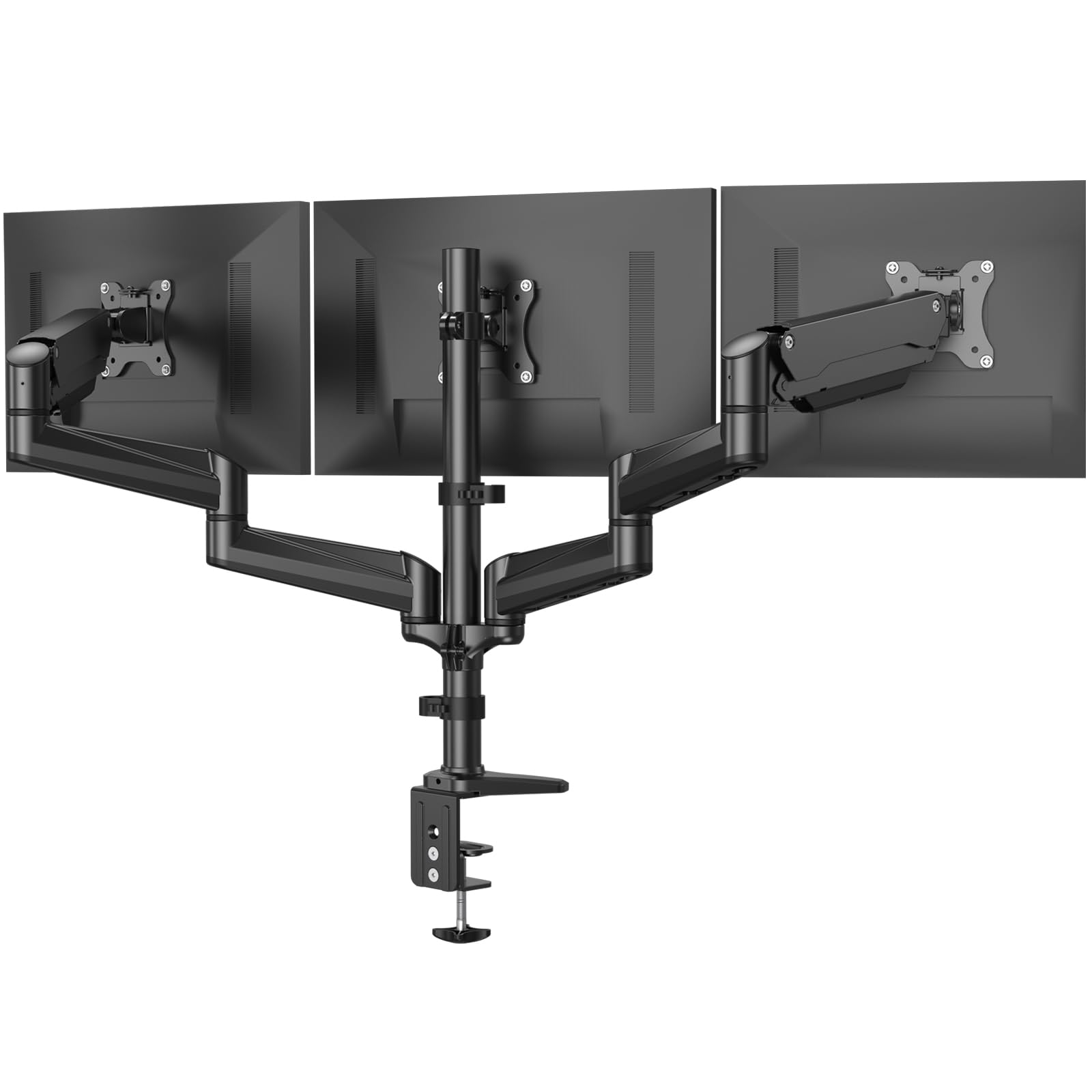
7,000+ ratings
Read Amazon ReviewsHUANUO Triple Monitor Mount
A three-screen desk mount for buyers with compatible VESA monitors who want adjustable positioning and a choice of clamp or grommet installation.
- Supports three monitors, with each screen no larger than 32 inches.
- Requires 75×75 mm or 100×100 mm VESA mounting holes on each monitor.
- The stated supported weight range is 4.4 to 17.6 pounds per screen.
- Arms adjust through swivel, tilt, and rotation; screens can be set to landscape or portrait orientation.

Pros
- One mount accommodates a three-monitor arrangement.
- Swivel, tilt, and rotation support customized screen positioning.
Consider before buying
- Screens larger than 32 inches are outside the stated fit range.
- Each screen must meet the VESA-hole and weight requirements, which narrows compatibility.
Read the full review summary
The main appeal is fitting three monitors on one desk mount, with swivel, tilt, and rotation available to tailor the viewing angles.
Elevating the displays can free desk space for other work essentials, making this a practical option for a multi-screen workstation.
It is best suited to buyers whose screens each have 75×75 mm or 100×100 mm VESA holes, fall within the stated size and weight ranges, and can be arranged across three arms.
Check those requirements and your desk thickness before choosing between the clamp and grommet installations.
The buying factors
HUANUO Triple Mount Scorecard
Editorial scores reflect listed features and buyer fit; they are not laboratory measurements or customer ratings.
Three-screen capacity
The stand is designed to elevate three monitors, which directly serves buyers assembling a multi-screen desk.
Position adjustment
Swivel, tilt, and rotation give buyers several ways to orient their displays.
Screen fit clarity
The guidance names VESA patterns and a per-screen weight range, making pre-purchase compatibility checks straightforward.
Desk mounting options
Clamp and grommet installation provide two ways to attach the mount, subject to desk thickness.
Desk-space recovery
Lifting three displays off the desktop can leave more room for other workstation items.
Compatibility flexibility
The setup has firm size, weight, and VESA requirements, so buyers need to verify every monitor before purchasing.
Key Features and Specifications of HUANUO Triple Mount
- Supports three monitors, with each screen no larger than 32 inches.
- Requires 75×75 mm or 100×100 mm VESA mounting holes on each monitor.
- The stated supported weight range is 4.4 to 17.6 pounds per screen.
- Arms adjust through swivel, tilt, and rotation; screens can be set to landscape or portrait orientation.
- Includes C-clamp or grommet installation options.
- C-clamp fits desks 0.39–3.15 inches thick; grommet installation fits desks 0.39–2.36 inches thick.
Pros and Cons of HUANUO Triple Mount
Pros
- One mount accommodates a three-monitor arrangement.
- Swivel, tilt, and rotation support customized screen positioning.
- Portrait and landscape orientations are available for different screen layouts.
- A choice of clamp or grommet installation can suit different desk setups.
Consider before buying
- Screens larger than 32 inches are outside the stated fit range.
- Each screen must meet the VESA-hole and weight requirements, which narrows compatibility.
- The two mounting methods have different desk-thickness limits, so measure the desk before deciding how to install it.
Who Should Buy HUANUO Triple Mount?
Good fit
Choose this mount if your workstation needs three screens and you want to adjust their angles or switch between portrait and landscape positioning. Raising the monitors can also help reclaim some desktop area for other tasks.
It is a sensible fit when all three displays meet the stated size, VESA, and weight criteria. Confirm the desk’s thickness as well, since clamp and grommet mounting accommodate different ranges.
Who should skip it
Look elsewhere if any monitor exceeds 32 inches, lacks the required VESA pattern, or falls outside the 4.4–17.6-pound range. Those screens do not meet the stated compatibility criteria.
Skip it if your desk cannot accommodate either mounting method within its thickness range; neither installation option will fit every desk.
HUANUO Triple Mount: Fit and Setup Analysis
Check every monitor before purchase
Start with the size limit, then verify each display’s VESA holes and weight. The mount’s guidance sets a maximum of 32 inches and requires either 75×75 mm or 100×100 mm mounting holes, with screens in the 4.4–17.6-pound range.
A three-screen setup only works if each display meets those criteria.
Choose the mounting method around your desk
Measure the desk edge and any existing grommet opening before selecting the setup.
The C-clamp accommodates desk thicknesses from 0.39 to 3.15 inches, while the grommet option fits 0.39 to 2.36 inches; the usable choice depends on your desk’s construction and dimensions.
Use the adjustment range to plan the layout
Swivel, tilt, and rotation provide options for arranging the three displays, including landscape and portrait positions.
Think through which screen belongs in each orientation and where you need the viewing angles before installation; that planning can make a multi-screen desk more useful for your routine.
Treat the space benefit as a layout choice
The stand elevates the monitors off the desk, which can open desktop area for other items.
The practical gain depends on how your screens and desk are arranged, so consider the footprint of three displays and whether lifting them creates a layout you will actually use.
Alternatives to HUANUO Triple Mount
Computer Monitor Arms alternative
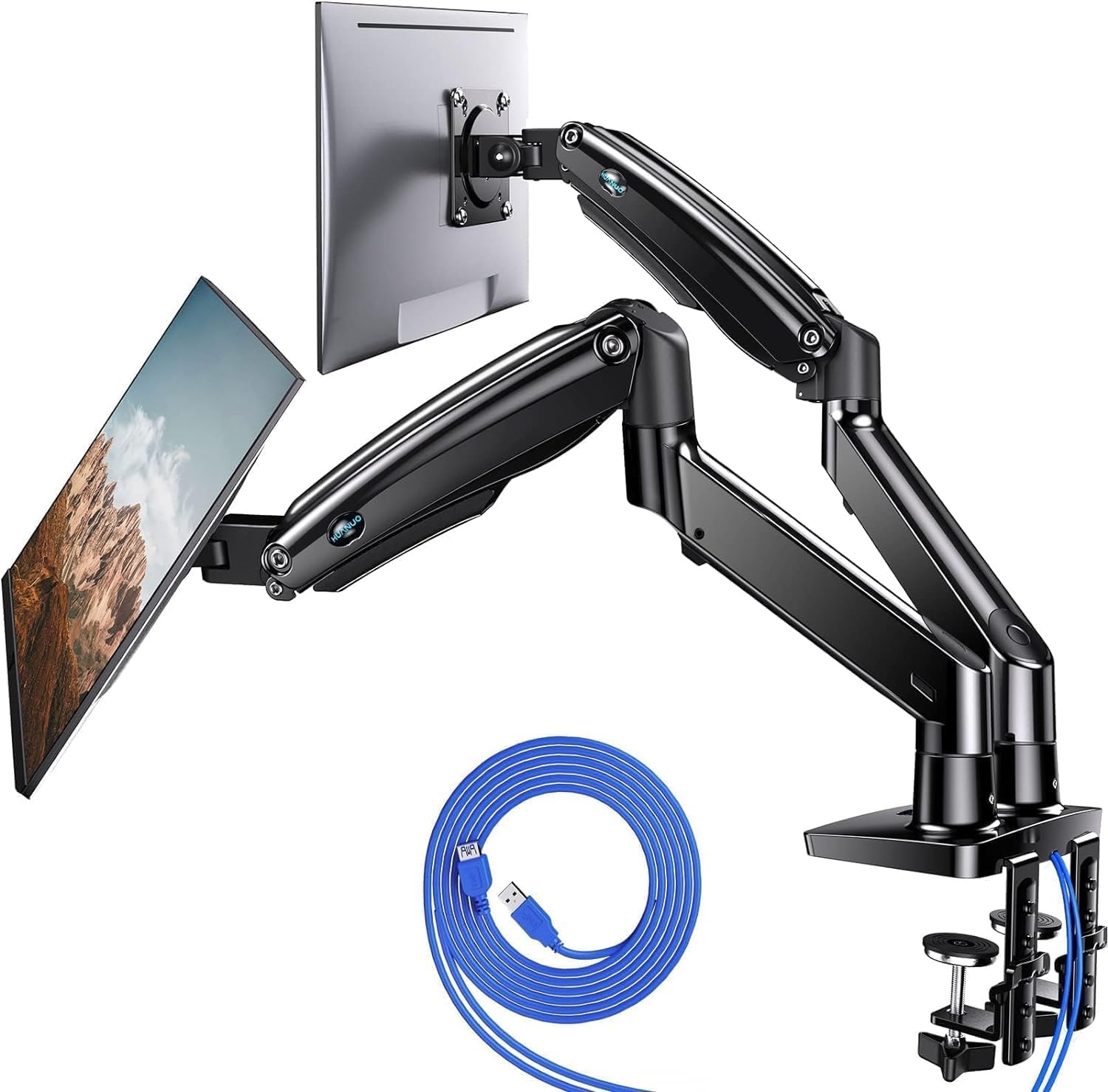
5,000+ ratings
Read Amazon ReviewsHUANUO Dual Monitor Stand HNDS7
Pick the HNDS7 if two larger or heavier screens and built-in USB ports better suit the workstation; stay with the triple mount if fitting three displays is the priority.
Their stated capacities point to different screen counts and monitor-fit needs.
- The HNDS7 is a two-screen stand for displays from 13 to 40 inches and up to 26.4 pounds per arm. It also includes two built-in USB ports.
- This triple mount elevates three displays and supports screens up to 32 inches each, making it the relevant choice when the desk setup calls for three monitors.
Computer Monitor Arms alternative
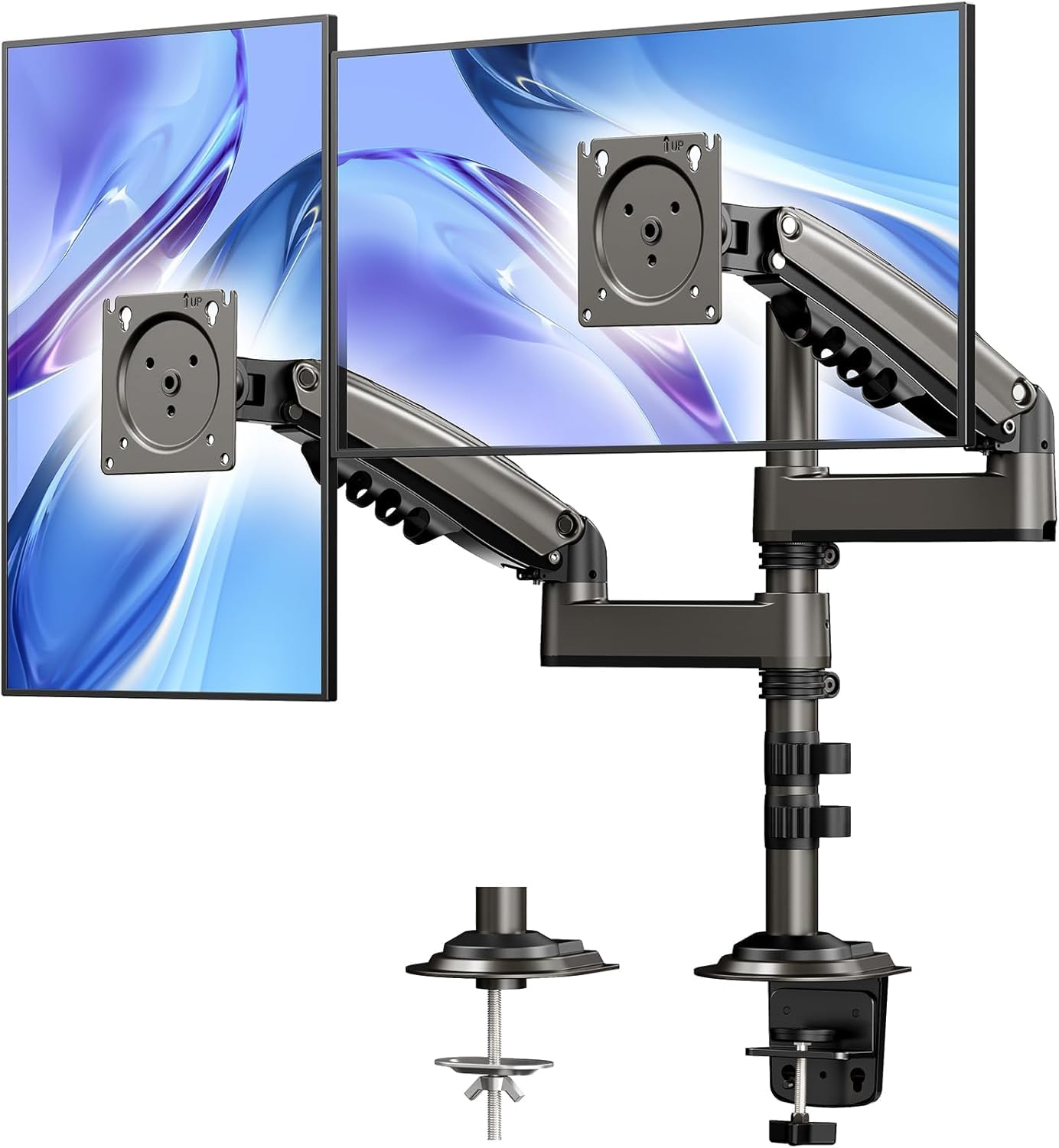
10,000+ ratings
Read Amazon ReviewsHUANUO 17-32 Inch Dual Monitor Stand
Choose the vertical dual stand if you want two stacked displays and a layout that preserves horizontal desk space; choose the triple mount when your setup calls for three screens.
The right fit depends on your preferred display count and arrangement.
- This dual stand uses a vertical arrangement for two monitors up to 32 inches, with 90-degree tilt, 180-degree swivel, and 360-degree rotation.
- The triple mount lifts three monitors off the desk, supporting a three-display arrangement with adjustable positions.
Is HUANUO Triple Mount Worth It?
The HUANUO Triple Monitor Mount is worth considering for a workstation built around three compatible displays.
Swivel, tilt, rotation, portrait or landscape positioning, and clamp or grommet installation give buyers useful flexibility when the monitors and desk meet the fit requirements.
Before buying, verify each screen’s size, VESA pattern, and weight, then check the desk thickness for the installation method you plan to use.
If any screen falls outside those limits, this mount is not a suitable match; for compatible equipment, it offers a clear route to a more adjustable three-screen desk.
Your review at a glance
7,000+ ratings
Read Amazon ReviewsHUANUO Triple Monitor Mount
A three-screen desk mount for buyers with compatible VESA monitors who want adjustable positioning and a choice of clamp or grommet installation.
- Supports three monitors, with each screen no larger than 32 inches.
- Requires 75×75 mm or 100×100 mm VESA mounting holes on each monitor.
- The stated supported weight range is 4.4 to 17.6 pounds per screen.
- Arms adjust through swivel, tilt, and rotation; screens can be set to landscape or portrait orientation.